





WhatsApp +212 663 813 479

OpenTivi – IPTV on the Screens You Already Own

OpenTivi Runs on Whatever Is Already Under Your Television

The commonest reason people put this off is a belief that something has to be bought, drilled into a wall or waited in for. None of that is true. If there is a Fire TV Stick, a smart television made since 2016, a phone or a laptop in the house, the hardware question is already settled: 25,000+ live channels and 120,000+ films in 4K, on servers holding 99.9% uptime. From $15 a month, and a 24-hour trial to prove it on your own equipment first.

  • 7 days to change your mind
  • Send a photo, we talk you through
  • Nothing to buy first
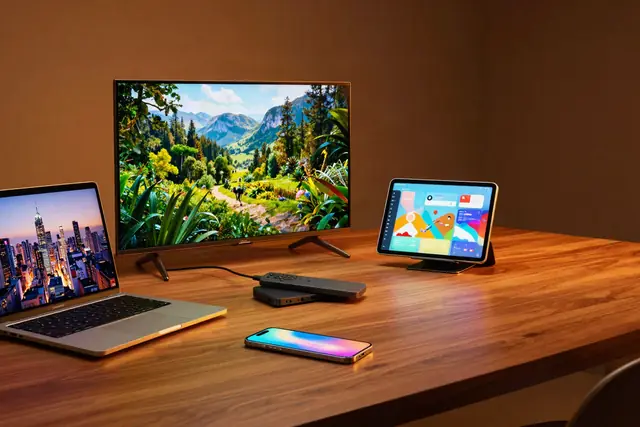
OpenTivi streaming on a smart TV, tablet, laptop and phone at once
25,000+ Channels, on the screen you own, in 4K, FHD and HD

Fifteen minutes from deciding to watching, because there is nothing to deliver and nobody to let into the house. No contract, no card stored, nothing renewing quietly.

Order on WhatsApp

7-day money-back guarantee on every plan

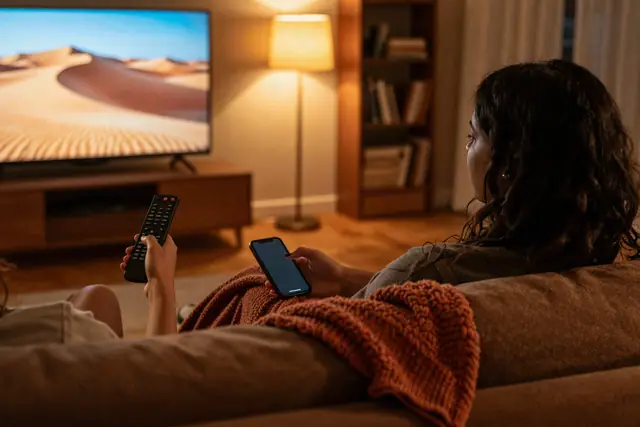
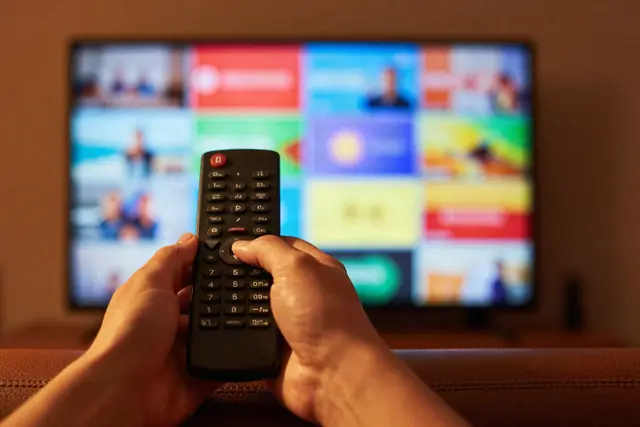
A family watching OpenTivi on the living-room television Picking a channel with the remote in the OpenTivi guide
The short version

OpenTivi Runs on Hardware You Almost Certainly Own Already


People assume this is a hardware purchase and it very rarely is. A Fire TV Stick bought years ago, a Samsung or LG set from 2016 onward, an Apple TV, an Android box, a phone, a laptop: any one of those runs it, and most households own two or three without thinking of them as television equipment. OpenTivi carries 25,000+ channels from the USA, UK, Canada and 60+ other countries, plus 120,000+ films and series, and none of it asks for anything you would have to go out and buy.

Where a purchase does make sense we say so plainly rather than upselling: an older television that caps at 1080p will never show the 4K feeds, and a $12 Ethernet adapter cures more stuttering than any box costing fifteen times that. Beyond those two, the honest answer is usually that you need nothing.

  • Thirteen tested walkthroughs, one per device
  • 99.9% uptime – and an HD copy when the line dips

Find Yours and Follow the Walkthrough

Every one of these has been set up, photographed and written down by somebody who owns one

Click whichever of these is actually plugged in and you get that device's own guide, naming its menus rather than a generic sequence, with the mistakes people make on that specific box listed at the bottom. The full index holds all thirteen. Once the first one is working the rest take about two minutes each, because the same three values configure every screen.

  • Amazon Fire TV Stick
  • Samsung Smart TV
  • Android TV
  • Apple TV and iPhone
  • MAG and Formuler box
  • Nvidia Shield
  • Android phone and tablet
  • IPTV Smarters Pro
  • Roku
  • Web player and M3U
  • LG Smart TV
  • Windows PC and Mac

What Decides Whether Your Hardware Copes

Three things, in order: whether the device can decode the feed, whether your connection reaches it, and whether the server has room. We can only control the third, so the guides deal honestly with the first two.

Find your device

25,000+Channels carried

120,000+Films and series

99.9%Measured uptime

60+Countries in the list

Set up this month on hardware in the United States · Canada · United Kingdom · Australia · Europe · Middle East

Plans

Plans, and Nothing Hidden Underneath Them

Count the screens that will be playing simultaneously, not the devices you own, because you may install the player on as many as you like. Every plan carries the same 25,000+ channels, 120,000+ on-demand titles and 4K. No equipment charge sits underneath any of them.

1 Month

$ 15 / 1 month

about $15.00 per month

  • Runs on hardware you already own
  • 25,000+ live channels
  • No dish, no cable box, no installer
  • 4K, FHD and HD, chosen per channel
  • 120,000+ films and series on demand
  • Guide and catch-up in supported players
  • Setup help by photo on WhatsApp
  • 7-day refund if your device will not run it
Buy over WhatsApp

3 Months

$ 29 / 3 months

about $9.67 per month

  • Runs on hardware you already own
  • 25,000+ live channels
  • No dish, no cable box, no installer
  • 4K, FHD and HD, chosen per channel
  • 120,000+ films and series on demand
  • Guide and catch-up in supported players
  • Setup help by photo on WhatsApp
  • 7-day refund if your device will not run it
Buy over WhatsApp

6 Months

Most common choice

$ 45 / 6 months

about $7.50 per month

  • Runs on hardware you already own
  • 25,000+ live channels
  • No dish, no cable box, no installer
  • 4K, FHD and HD, chosen per channel
  • 120,000+ films and series on demand
  • Guide and catch-up in supported players
  • Setup help by photo on WhatsApp
  • 7-day refund if your device will not run it
Buy over WhatsApp

Nothing here is a hardware tier. All four carry the identical 25,000+ channels and 120,000+ on-demand titles, and all four run on whatever you already have plugged in. What differs is the length of the term and how many streams can play at the same moment. No contract, no auto-renewal, 7 days to change your mind. Shown in USD.

Everything laid out on the pricing page, or spend 24 hours proving it on your own box before any of it matters.

The OpenTivi electronic programme guide open on three screens
Working in under 15 minutesNo delivery, no engineer, no appointment to be in for.
How it works

Three Steps, No Deliveries

  1. Tell us the device

    Pick a term and a stream count on the pricing page, then say what is plugged into the television. That last part is why the right guide reaches you rather than a generic one.

  2. Three values come back

    A server address, a username and a password, in the same chat, generally inside under 15 minutes. Those three configure every screen you own, now and later.

  3. Follow your device's own guide

    Not a generic one. The walkthrough for your hardware names its menus, in order, and tells you where it usually goes wrong. Five to ten minutes for the first screen.

Prove It on Your Own Box, Free for 24 Hours

The only question worth answering first is whether it runs properly on the hardware you already have. Install it, watch on it, decide afterwards. No credit card and nothing to cancel.

Tell us the device and we send the walkthrough for that one, not a generic page. No card, nothing to cancel.

Why choose us

Why Nothing Here Asks You to Buy Anything

No equipment cost buried in it

From $15 a month, or about $5.75 a month across a year. There is no box to rent, no activation fee and no installation charge, because none of those things exist here.

Setup help from a photograph

Send a picture of whatever screen has stopped you and the same person who sold you the account works from that, generally within under 15 minutes.

A rung below, on every channel

Busy channels exist at more than one bitrate, so hardware that cannot manage the 4K feed still has an HD one to fall to. That matters more on old televisions than on new ones.

7-day money-back guarantee

If it will not run on the hardware you own and we cannot get it working, the money comes back in full. That is the whole promise and it is the one that matters here. Read the refund policy.

Cable Box vs Cheap IPTV vs OpenTivi

FeatureCable, with its boxBudget IPTVOpenTivi
Hardware you must obtainRented boxVariesNone, with a guide for each
Somebody in your houseTechnician visitHours to daysUnder 15 minutes, nobody visits
Cost per month$80 to $150$10 to $20$15, or about $6 on the yearly plan
Channels reachable150 to 3005,000 to 15,00025,000+
Ultra HDRarelySometimesYes, included
On-demand libraryExtra feeLimited120,000+ included
Tied in for12 to 24 monthsNoneNone, no auto-renewal
When it will not workCall centreTicket or none24/7 WhatsApp, send a photo
If it never worksNoneRare7-day money back

Sell It Under Your Own Name

A credit panel, and thirteen guides you can forward as your own

Credits at wholesale, and whatever you charge above that is yours. Open the panel, create a customer account in seconds, and stand the same 25,000+ channels behind it. The part resellers underestimate is support: every device walkthrough on this site can be forwarded to your own customers as it stands, which removes most of the work. Access the same day, rates on the reseller page.

Wholesale rates
Frequently Asked Questions

Asked Before Anyone Buys Anything

The hardware questions come first, so they are answered first. The rest sit on the full FAQ page.

Do I have to buy anything to use this?

Almost certainly not. If a Fire TV Stick, an Android box, a Samsung or LG television from 2016 onward, an Apple TV, a phone or a laptop is already in the house, that is the hardware question answered. You install a free player on it, type in three values, and 25,000+ channels arrive. No dish, no cable box, no engineer and nothing delivered.

What is OpenTivi?

A television subscription carried over the broadband you already pay for. The account opens 25,000+ live channels and 120,000+ films and series, and it is designed around the assumption that you own something capable of running it. Thirteen setup guides cover the common devices individually rather than sending everyone through one generic sequence.

Which devices actually work?

Fire TV Stick and Fire TV, Android TV and Android boxes, Samsung and LG televisions from 2016 onward, Apple TV, iPhone, iPad, Roku with caveats, Windows, Mac, and MAG or Formuler boxes. Because the account is a standard Xtream login, the same three values configure every one of them, so the second device takes about two minutes.

My television is old. Will it still work?

Usually, with two honest limits. A smart set older than about 2016 will not have the app store the players live in, so it needs a stick in an HDMI port. And any device that caps at 1080p output will never show the 4K feeds however good the stream is. Neither stops it working; both change what you should expect to see.

How much does a subscription cost?

A single month on one stream is $15. Twelve months is $69, which is near $5.75 a month. Two, three and five-stream plans are on the pricing page. There is no equipment charge, no activation fee and no installation cost underneath any of those figures, because none of those things exist here.

How fast is activation?

Usually under fifteen minutes. Nothing is posted and nobody visits, so the only steps are the payment clearing and somebody typing your credentials into the chat. Tell us which device you have when you order and the walkthrough for that specific one comes back alongside them.

Is there a free trial?

Yes, 24 hours, and the reason to take it is precisely the hardware question. It is a complete account with every channel open, so install it on the box you actually intend to use and find out whether that box copes before any money moves. No card, and it lapses by itself.

How many devices can I install the player on?

As many as you like. What the plan limits is how many streams play at the same moment, which is a different thing and the distinction catches people out. A one-stream plan can be signed in on a television, a phone and a laptop; only one of them plays at a time.

What internet speed do I need?

About 10 Mbps for HD and 25 Mbps for 4K, per stream running at once. Steadiness matters more than the headline figure. If the device sits away from the router, an Ethernet adapter at $10 to $15 fixes more stuttering than any hardware upgrade costing ten times that, and we would rather tell you to buy the cable than a box.

Which app should I install?

IPTV Smarters Pro on anything, because it exists for every platform and costs nothing. TiViMate if the device runs Android and you want a proper grid guide, at about $10 a year. On a Samsung or LG set with nothing plugged in, Smart IPTV or IPTV Smarters from the television's own store. Each has its own guide.

What if I get stuck halfway through setup?

Photograph the screen and send it on WhatsApp. Working from a picture of the actual menu is faster than a description, and it is how most setup problems get resolved here. Somebody answers at any hour, and the person who sold you the account is the person who replies.

Is there a money-back guarantee?

Every plan carries 7 days. If it will not run on the hardware you own and support cannot get it working, say so within 7 days of activation and the payment is returned in full. Given that hardware is the whole question here, that is the guarantee that actually matters.