
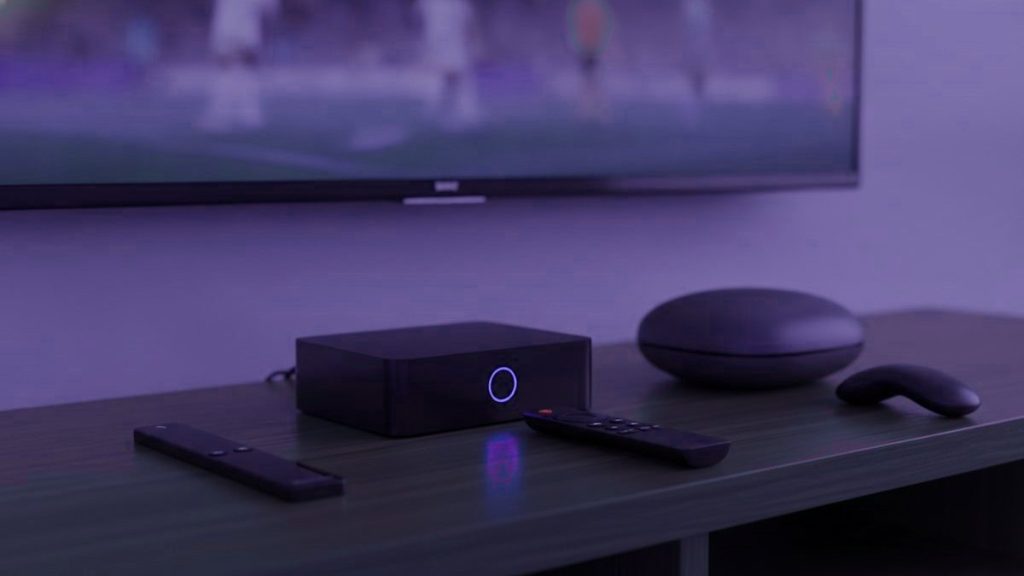
Most people do not need an IPTV box, and those who do are better served by a $40 stick than a $180 unit. Before spending anything, check what is already in the room. A smart television made since 2016, an existing streaming stick, a phone or a laptop will have you watching tonight for nothing.
OpenTivi Short Version: Which Box to Buy
Start with what you own. If something must be bought, buy a $12 Ethernet adapter first. If that is not enough, a Fire TV Stick 4K at $30 to $50 covers nearly everyone. Spend more only on a set watched daily.
Check what you already have
- A Samsung or LG from 2016 onward. Both run players from their own stores with nothing attached.
- An existing Fire TV Stick or Android device. Already capable; it needs a player installed and nothing else.
- An Apple TV. Runs IPTV Smarters Player from the tvOS store.
- A phone or laptop. The fastest way to establish whether the service is worth keeping at all.
Take the trial on whatever you own before deciding what to run it on. Establishing that the service is worth having comes first; choosing hardware comes second, and for most households never comes at all.
Buy the cable before the box
This is the most useful paragraph on the page. If your complaint is stuttering, the instinct is to buy faster hardware, and that instinct is usually wrong. Most stuttering is a network problem: wireless, in the evening, in a building where every flat is streaming. The device is fine.
A $10 to $15 Ethernet adapter addresses that directly and costs less than a third of the cheapest stick. Try it before spending $180 on a box that will meet exactly the same wall. If the adapter fixes it, you have solved the problem and saved the difference; if it does not, you have eliminated a variable and the rest of this page becomes relevant.
The options
| Device | Price | TiViMate? | Verdict |
|---|---|---|---|
| Ethernet adapter | $10 – $15 | n/a | Try this first, always |
| Fire TV Stick 4K / Max | $30 – $50 | Yes, sideloaded | What most households should buy |
| Chromecast with Google TV | $40 – $50 | Yes, from Play Store | Tidier setup, nothing to sideload |
| Generic Android box | $40 – $90 | Usually | A lottery. Insist on 2 GB RAM and Ethernet |
| MAG 5xx | $120 – $160 | No, portal-based | Plain and dependable, cable-box feel |
| Formuler Z11 | $140 – $180 | Yes, plus MyTVOnline | Where enthusiasts land |
| Nvidia Shield | $150 – $200 | Yes | Fastest available, more than anyone needs |
| Roku | $30 – $100 | No | Not the platform for this |
How long any of this lasts
Worth factoring in before comparing prices, because the cheap option is not always the cheap option. A streaming stick has a working life of roughly three to five years before app updates outpace it, and a Fire TV Stick that cannot run current builds is not repairable in any meaningful sense.
A purpose-built box lasts longer, because it does less and its software changes more slowly. A MAG or Formuler bought today should still be doing the same job in five years provided firmware keeps arriving. That is a genuine part of what the higher price buys, and it partly closes a gap that looks enormous on day one.
The arithmetic still favours the stick for most people. Two sticks over six years costs less than one Formuler, and the second one you buy will be faster than the box was. But if you dislike replacing things, that is a legitimate reason to spend more, and it is a better reason than raw specifications.
Why the Fire TV Stick wins on value
It costs less than a month of most cable packages, handles 4K without complaint, and Amazon discounts it heavily several times a year. The one wrinkle is that TiViMate is not in Amazon’s store, so it needs sideloading through Downloader — about five minutes, and our Firestick guide names every menu including the per-app permission Amazon hides.
Skip the non-4K Lite unless the budget is genuinely tight. It caps at 1080p, which defeats the point of paying for Ultra HD feeds, and that limitation is invisible until you go looking for it.
What the expensive boxes actually buy
A remote built for the job. Dedicated buttons for the channel list, guide and favourites rather than streaming controls pressed into service. On a set used daily this counts for more than any specification.
Nothing to sideload, ever. A MAG runs from a portal tied to the box; there is nothing to install or update.
A faster guide. Purpose-built hardware redraws a long list noticeably quicker, because it is doing one job and not also running a store and a launcher.
Against that: three to five times the price, and a physical object bound to its own MAC address. Sound value in a living room you intend to keep; poor value in a spare bedroom. Setup for both is in our MAG and Formuler guide.
Why Roku is the wrong choice here
Roku hardware is excellent for mainstream streaming, so the assumption is reasonable. But it permits no sideloading and its store carries almost none of the established players, with TiViMate absent entirely. What remains is a thin selection whose availability varies by country, plus screen mirroring, which works and makes a poor daily experience.
If you already own one, our Roku guide covers the two working methods. If you are choosing now, buy something else and keep the Roku for the apps it does well.
The order to spend money in
If something is not working, spend in this order and stop as soon as it is fixed. First, nothing: change the decoder setting to hardware, and hide categories you never open. Both are free and between them they resolve a surprising share of complaints.
Second, $12: an Ethernet adapter. This is the single highest return per dollar available anywhere in this hobby, because most stuttering is network rather than hardware.
Third, $30 to $50: a Fire TV Stick 4K, but only if the television itself is the constraint, meaning it predates 2016 or genuinely cannot run a modern app.
Fourth, $120 to $180: a purpose-built box, and only for a main television in a home you are staying in. Most people never reach the third step, and almost nobody who follows this order regrets it. The mistake is starting at the fourth, which is what happens when somebody assumes a stuttering picture means slow hardware.
Buying a generic Android box
- 2 GB of RAM minimum, ideally 4. Below that a long channel list crawls.
- Certified Android TV, not a phone build, or the Play Store hides television apps from you.
- An Ethernet port. Cabled beats wireless consistently, and a box without one removes your best fix.
- A named brand. Unbranded boxes frequently ship modified firmware of unknown origin, which is a poor thing to add to a home network.
- Ignore core counts. Four fast cores beat eight slow ones, and listings routinely mislead on exactly this.
What we would buy, in order
Nothing, first. Test on what you own. Then a $12 Ethernet adapter if anything stutters. Then a Fire TV Stick 4K if the television is old or genuinely slow, which comes to about $50 all in and solves the large majority of cases. A Formuler or MAG only for a main television in a home you expect to stay in.
All of them work with an OpenTivi account, issued as a standard Xtream Codes login. Instructions for every device are in the setup hub, and the prices are on the pricing page.
Frequently asked questions
Do I need to buy a box?
Usually not. A Samsung or LG from 2016 onward runs a player from its own store, and an existing Firestick, Apple TV, phone or laptop will all work. Test on what you own first and decide about hardware afterwards, once you know the service is worth keeping.
What should I buy first if something is wrong?
A $10 to $15 Ethernet adapter, before any box. Most stuttering is a network problem rather than a processing one, and the adapter addresses it directly for a third of the price of the cheapest stick.
Which box is best if I do buy one?
A Fire TV Stick 4K at $30 to $50 for almost everyone. A Formuler Z11 or MAG 5xx at $120 to $180 if it is a main television used daily and you want a proper remote and a faster guide. The Nvidia Shield is the quickest and more than most homes need.
Why not a Roku?
No sideloading, and its store carries almost none of the established players, with availability differing by country. Mirroring works as a fallback and makes a poor daily experience. Roku is good hardware for other things and the wrong choice for this.
Will a faster box stop the buffering?
Rarely. Most stuttering is the network rather than the processor, so a $12 cable fixes far more of it than a $180 box. Try the cable first, especially in an apartment block where the wireless spectrum is crowded every evening.
Use the hardware you already have
Nothing to buy and nothing to install in the wall. The login arrives on WhatsApp in under 15 minutes, with 7 days to change your mind.
OpenTivi: Related Articles
OpenTivi on When a Cable Beats Wi-Fi for IPTV
Wi-Fi is fine next to the router and fragile two rooms away. When a cable fixes IPTV stutter, why sticks struggle, what…
September 19, 2026OpenTivi on Getting IPTV Onto an Old Smart TV
An old Samsung or LG can still run IPTV. Here is how to find the model year, which player each year can…
September 19, 2026OpenTivi on Laptops, Tablets, Phones and Projectors
The same login works on a laptop, a tablet, a phone and a projector. Which player goes on each, why casting is…